MailJD

A keyboard-driven mail client for Linux, with calendar, tasks and contacts, for your own IMAP and DAV server.

Every action has a key and every command a name. Mail, appointments and address books stay on your servers and in a local cache; there is no account with us and no telemetry.

Version 1.0.0-rc3, released 15 October 2026. Download the AppImage (207 MB) · other downloads

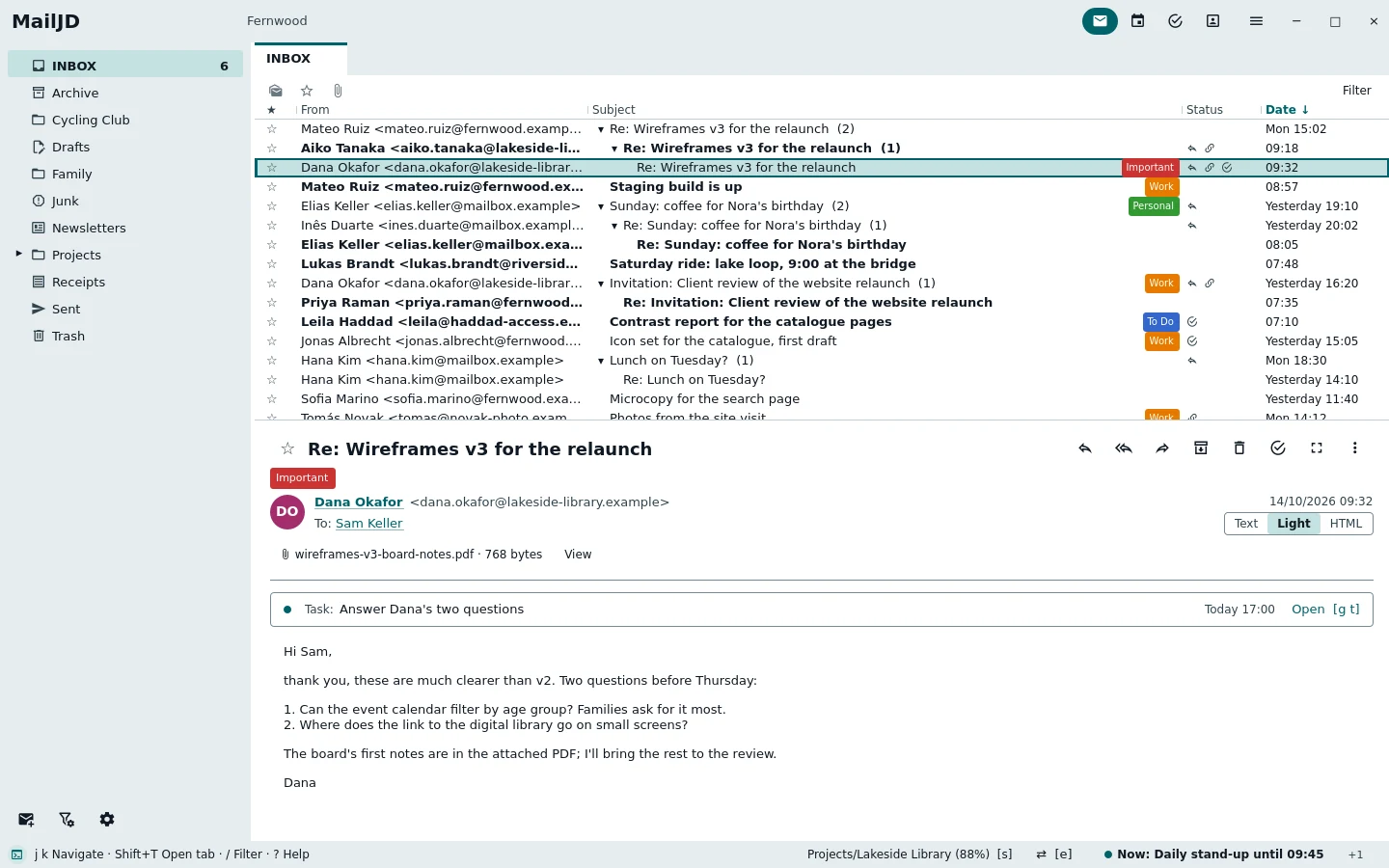
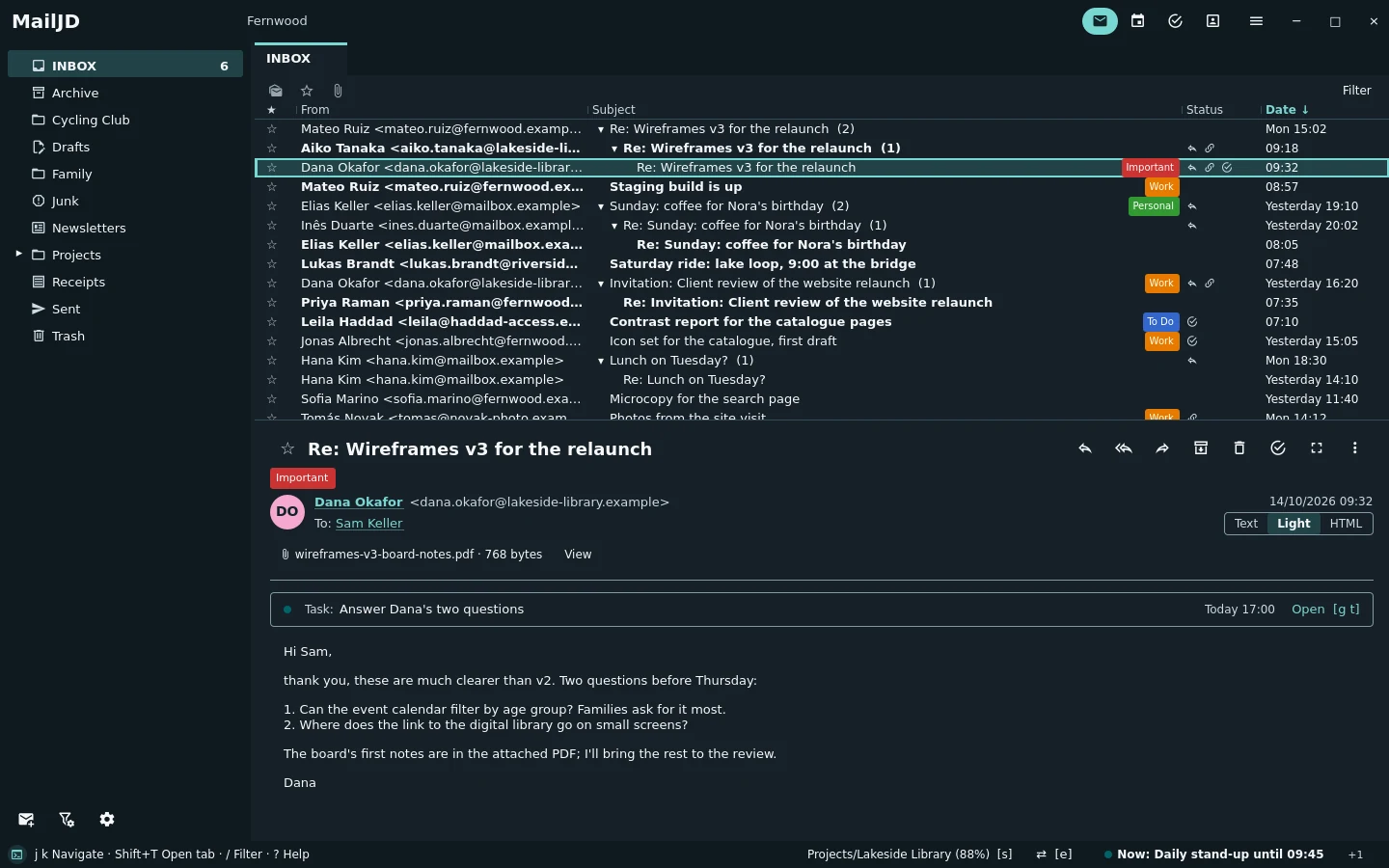
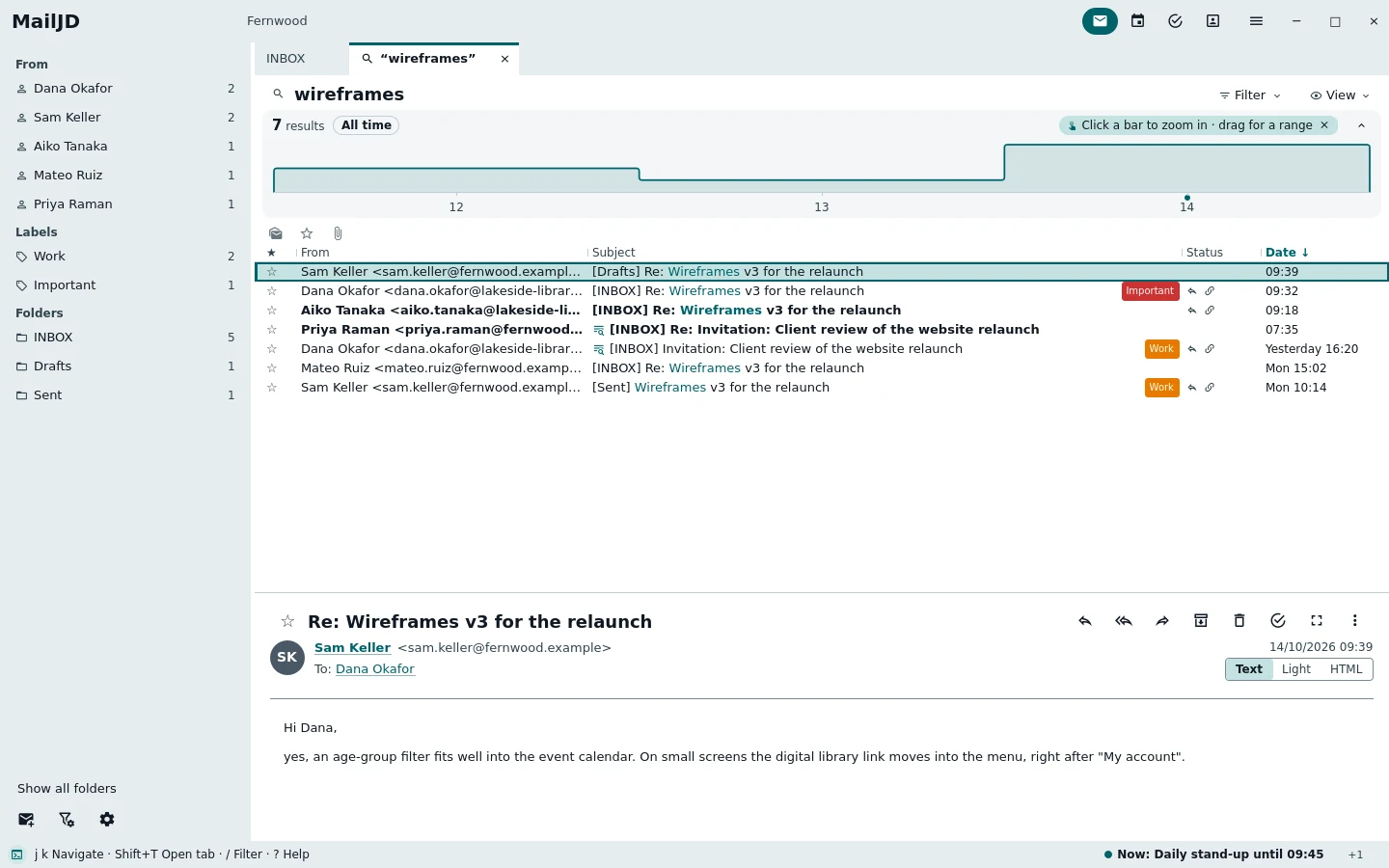
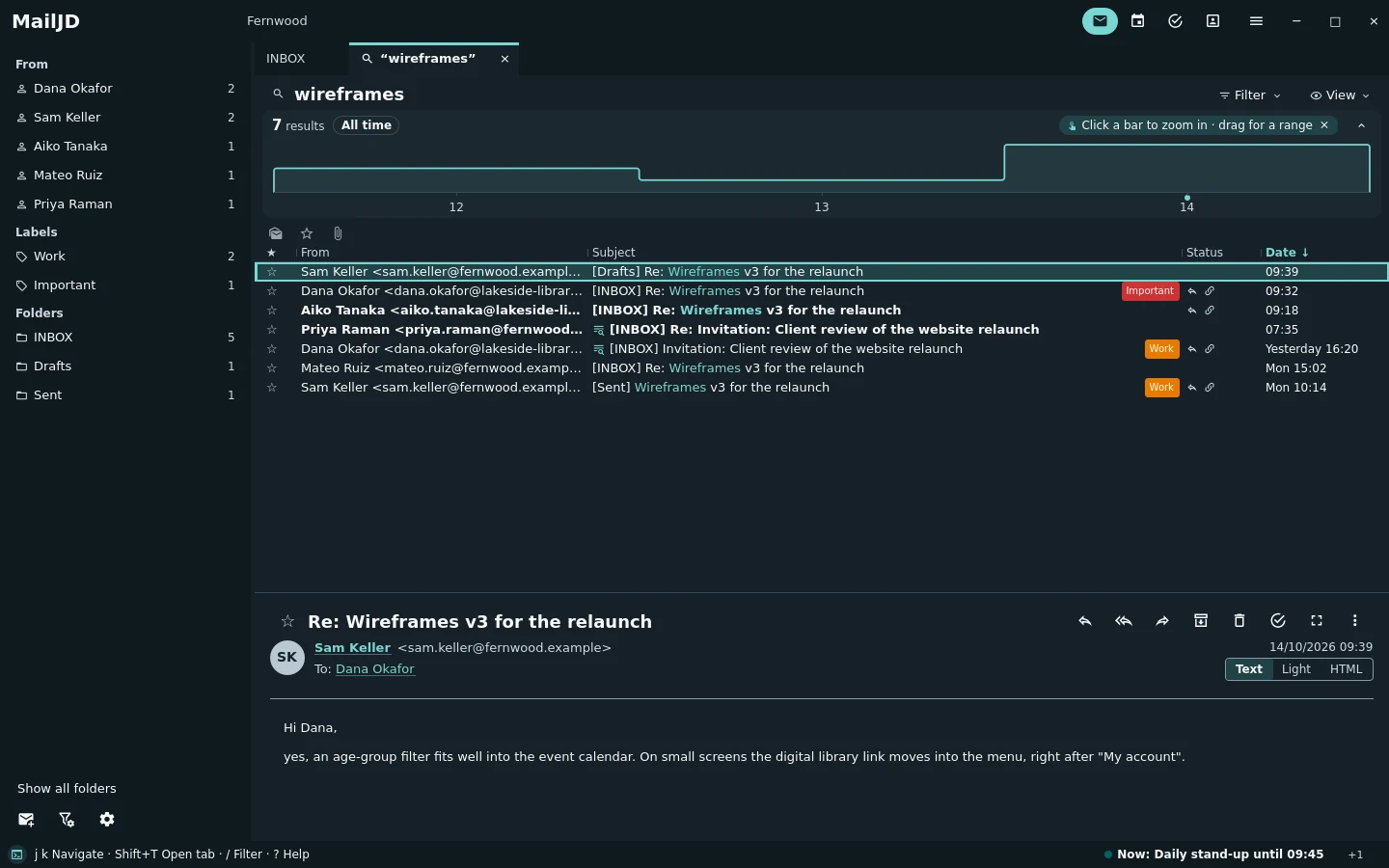
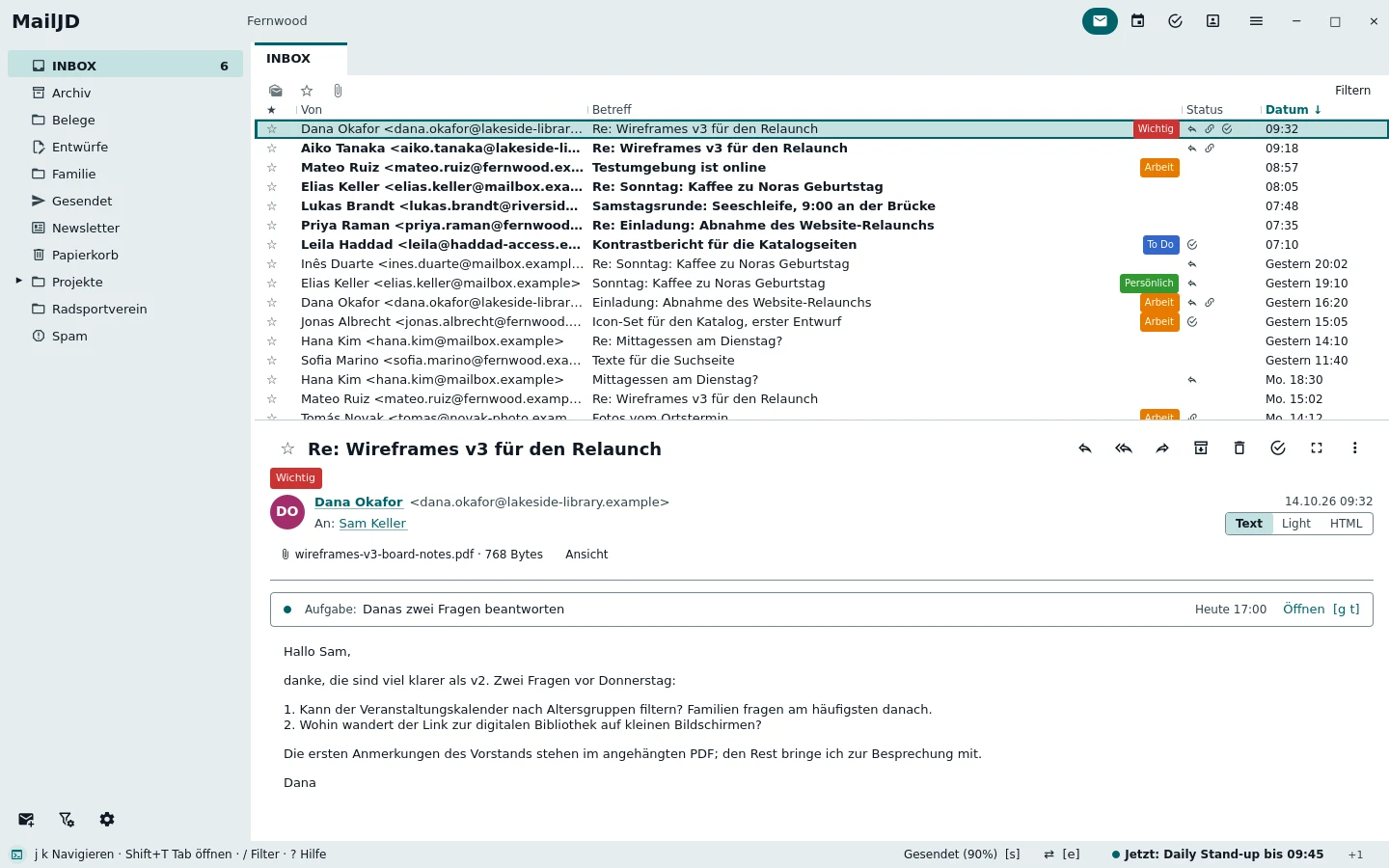
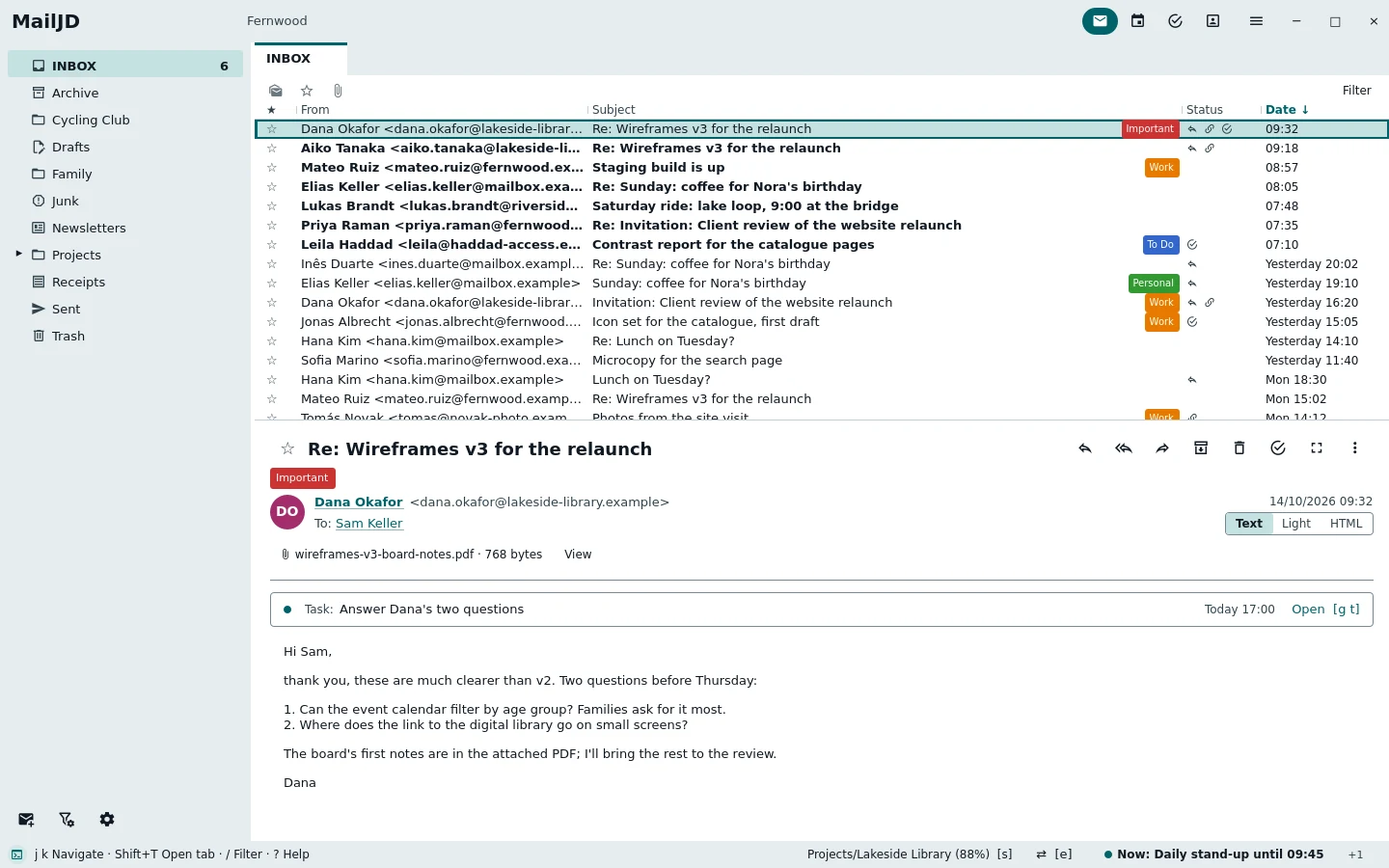
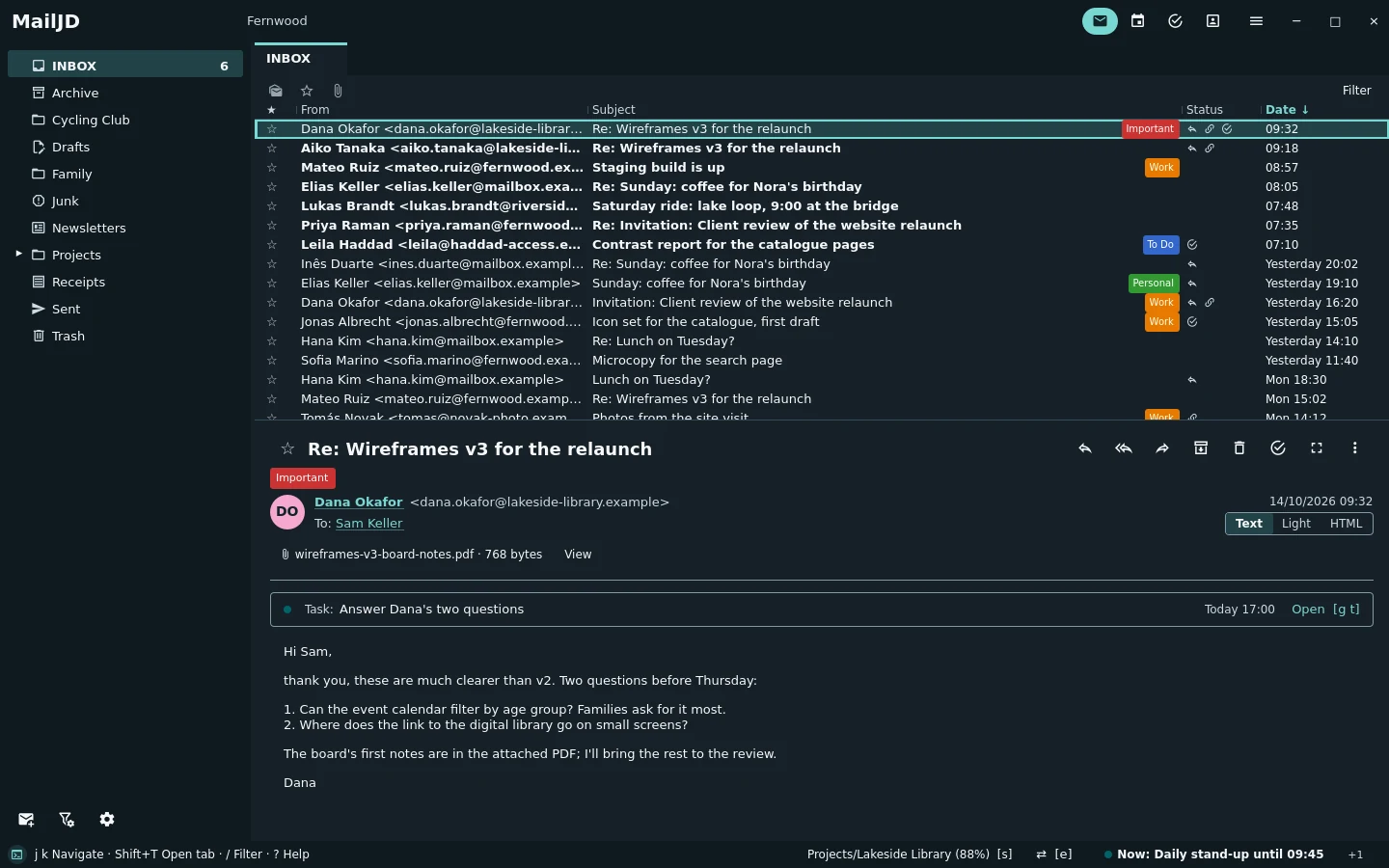
MailJD main window with the folder list on the left, the inbox in the middle and Dana Okafor's mail about the wireframes in the reader below. Light theme. MailJD main window with the folder list on the left, the inbox in the middle and Dana Okafor's mail about the wireframes in the reader below. Dark theme.
The inbox on Wednesday morning: Dana's reply to the wireframes is open, with its PDF and the task it created. Full size: light · dark

Screenshots of MailJD 1.0.0-rc3, taken automatically from example data: one fictional person's week of mail, appointments, tasks and contacts. Drag the line to compare the light and the dark theme.

Tour

Mail

Folder tree, list and reader in one window, the list flat or as threads built from the References and In-Reply-To headers. MailJD learns which folder a kind of mail belongs in and offers it in the status line; IMAP IDLE and NOTIFY keep every folder and its unread count current.

j k
next and previous mail
s
move to the suggested folder
a
archive
1–5
labels
Ctrl+T
threads on or off
The inbox grouped into threads, with the wireframe conversation expanded into three indented replies. Light theme. The inbox grouped into threads, with the wireframe conversation expanded into three indented replies. Dark theme.
Conversations as threads: the wireframe feedback with replies from Aiko and Dana under Mateo's first mail. Full size: light · dark

Command bar

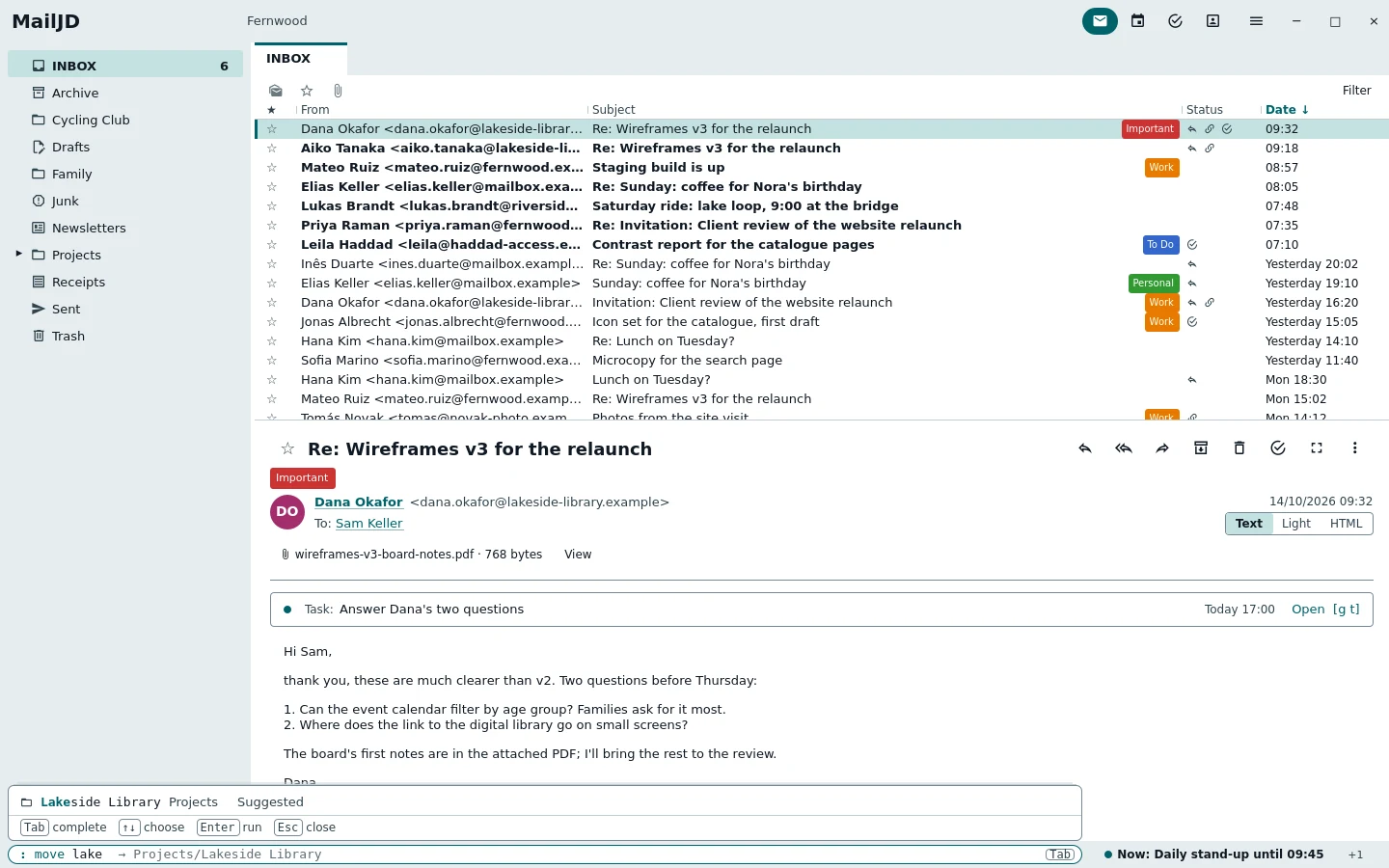
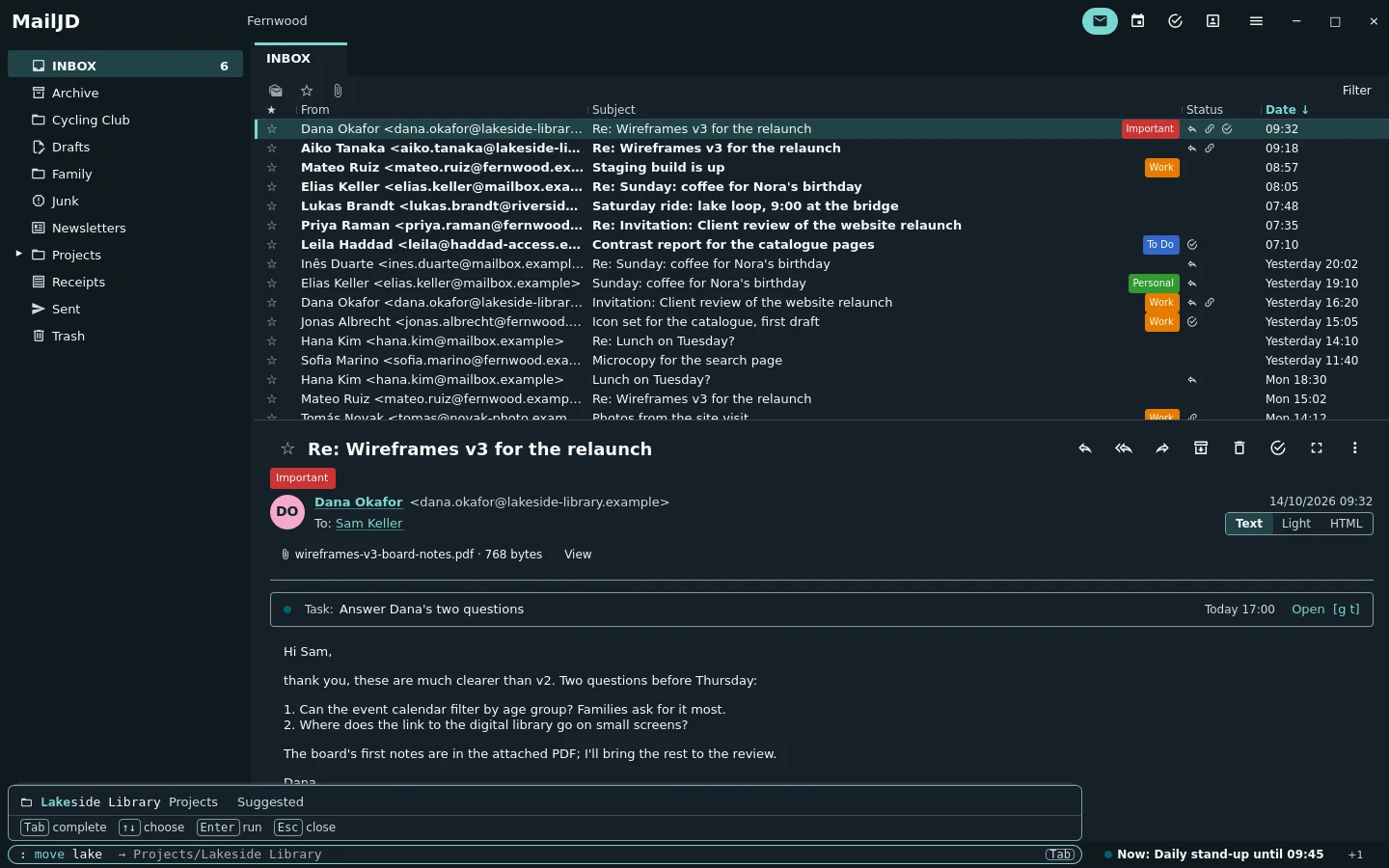
Every command has a name. The bar sits at the bottom left; Tab completes commands, folders, labels and dates inline, and the best match is always on top. Here "move lake" finds the Lakeside Library project folder.

:
open the command bar
Tab
complete
Enter
run
The command bar at the bottom left with the text move Lake typed in. Light theme. The command bar at the bottom left with the text move Lake typed in. Dark theme.
Press : and type. "move Lake" finds the Lakeside Library project folder. Full size: light · dark

Reading

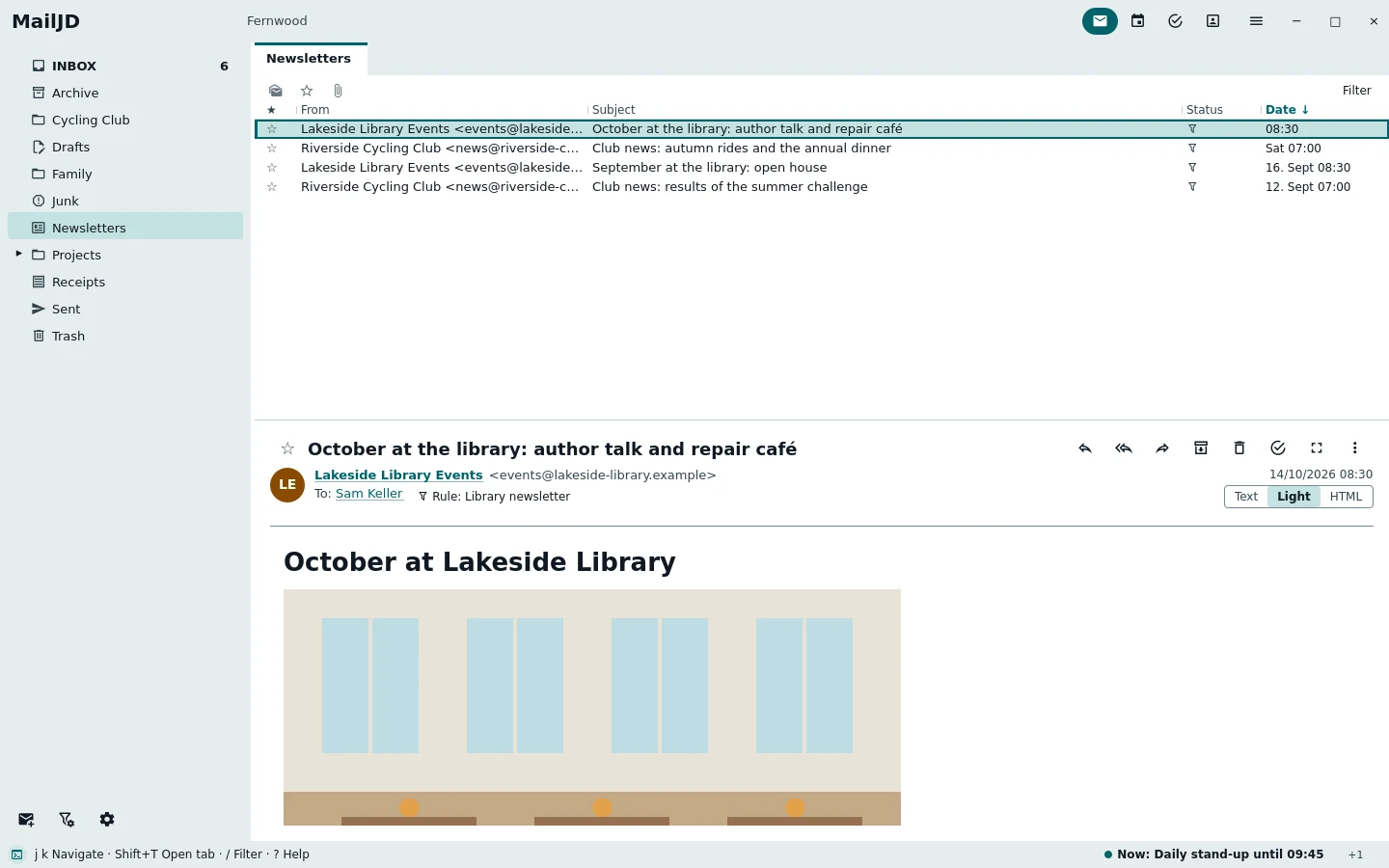
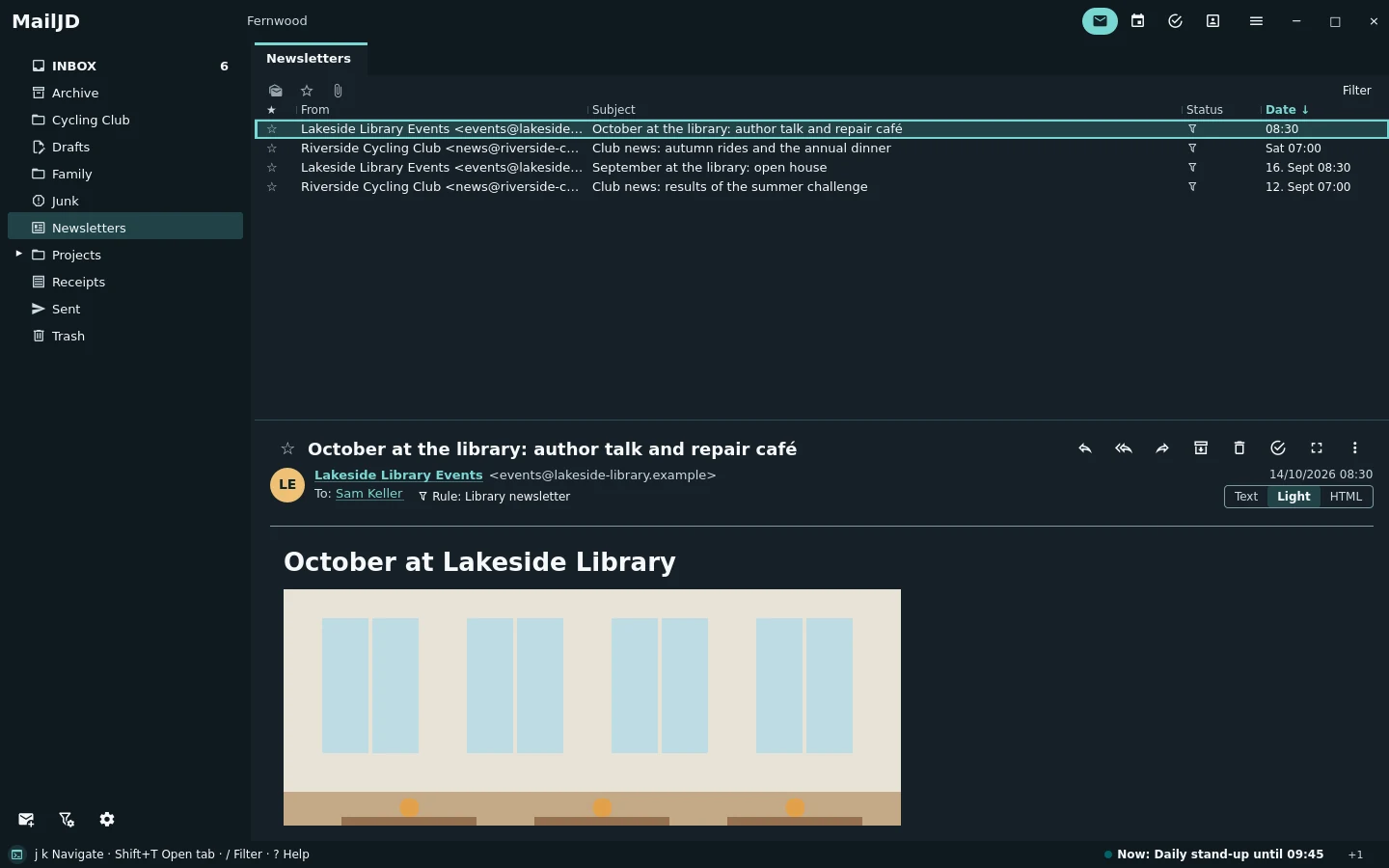
Three reading modes per tab: plain text, HTML-light drawn by MailJD itself, and full HTML. Mail is cleaned before display, scripts never run, and remote images stay blocked until you allow them for a message or a sender's domain.

h
next reading mode
Shift+T
open in a tab
A newsletter from Lakeside Public Library rendered with headings, an embedded photo and a short event list. Light theme. A newsletter from Lakeside Public Library rendered with headings, an embedded photo and a short event list. Dark theme.
The library newsletter in the HTML-light reading mode: the sender's layout, read by MailJD's own renderer, no remote content. Full size: light · dark

Calendar

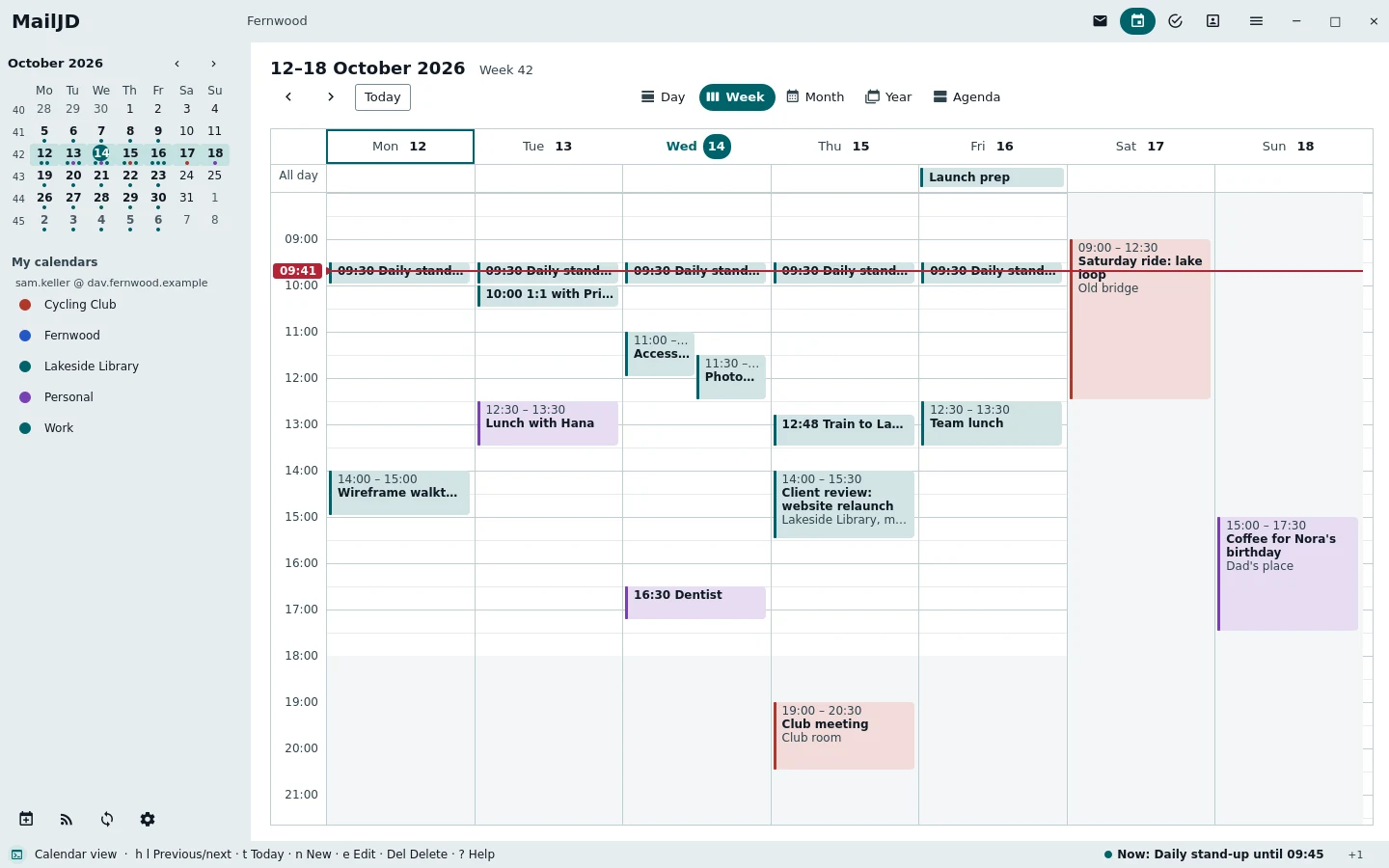
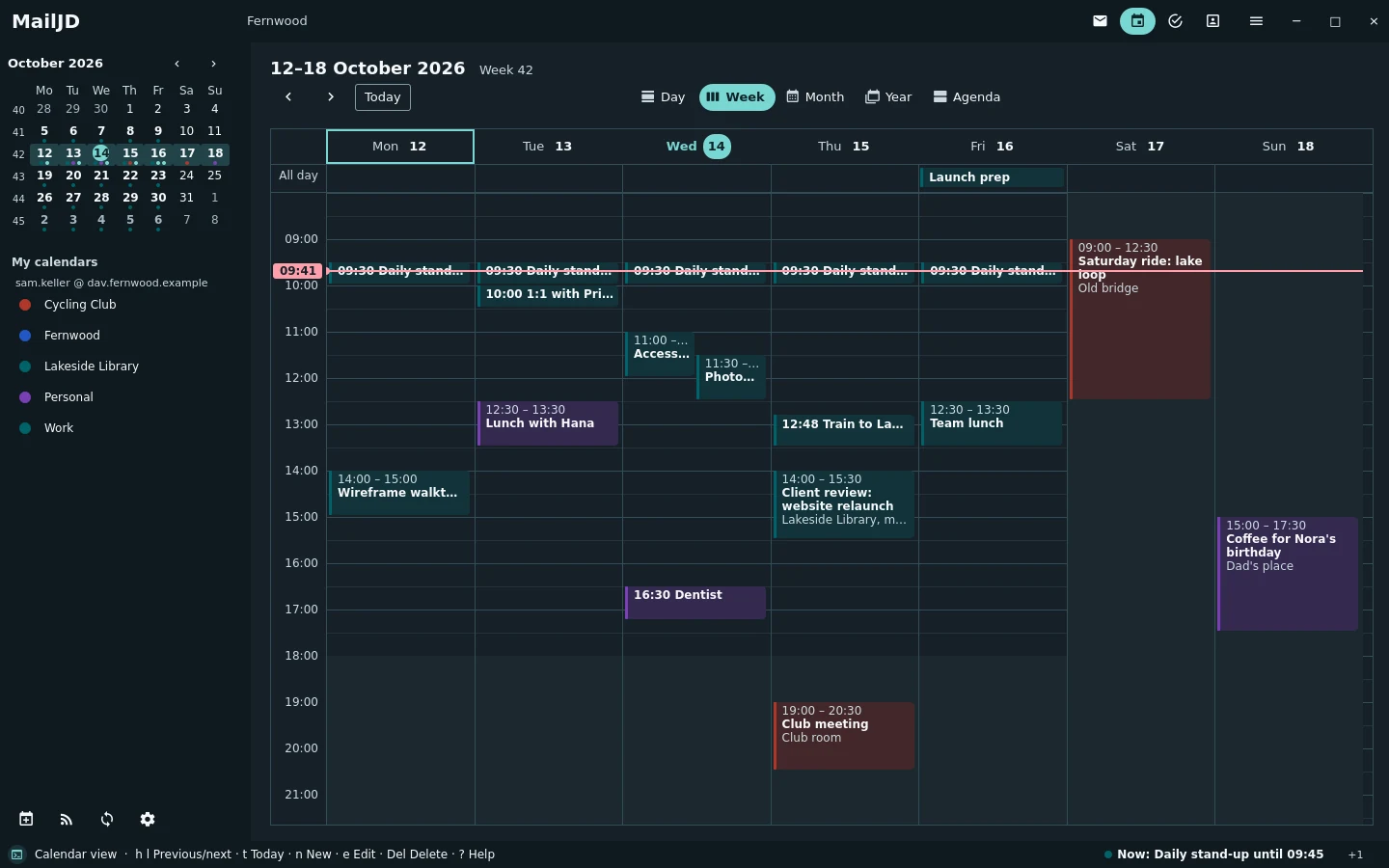
Day, week, month, year and agenda views of your CalDAV calendars, with reminders, recurring events and invitations answered from the mail. Changes made offline are sent when the server is reachable again.

w
week view
h l
previous and next week
n
new appointment
Calendar week view with coloured appointments for work, personal life and the cycling club. Light theme. Calendar week view with coloured appointments for work, personal life and the cycling club. Dark theme.
The week of 12 to 18 October: daily stand-ups, Thursday's client review and Saturday's ride, from three CalDAV calendars. Full size: light · dark

Tasks

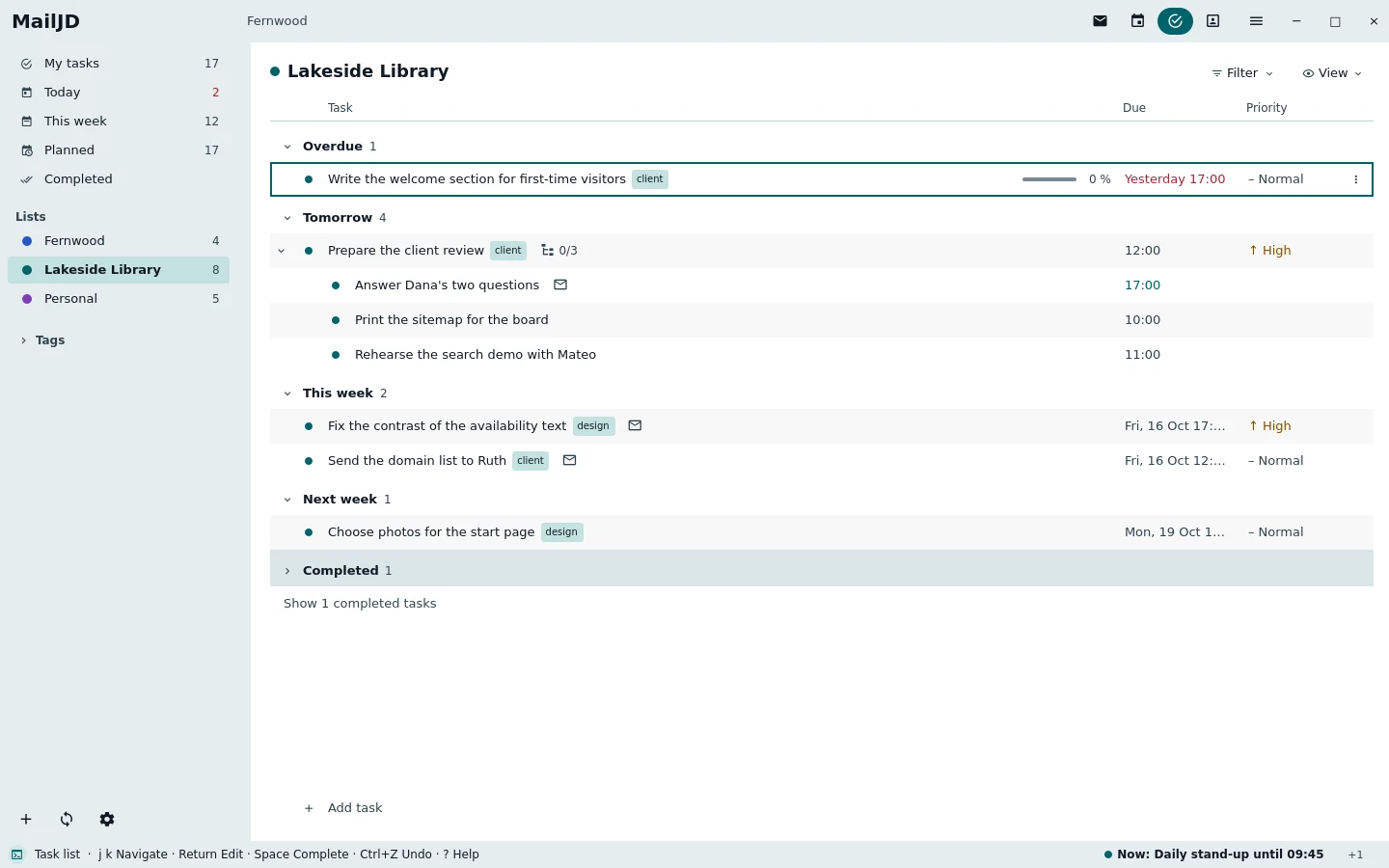
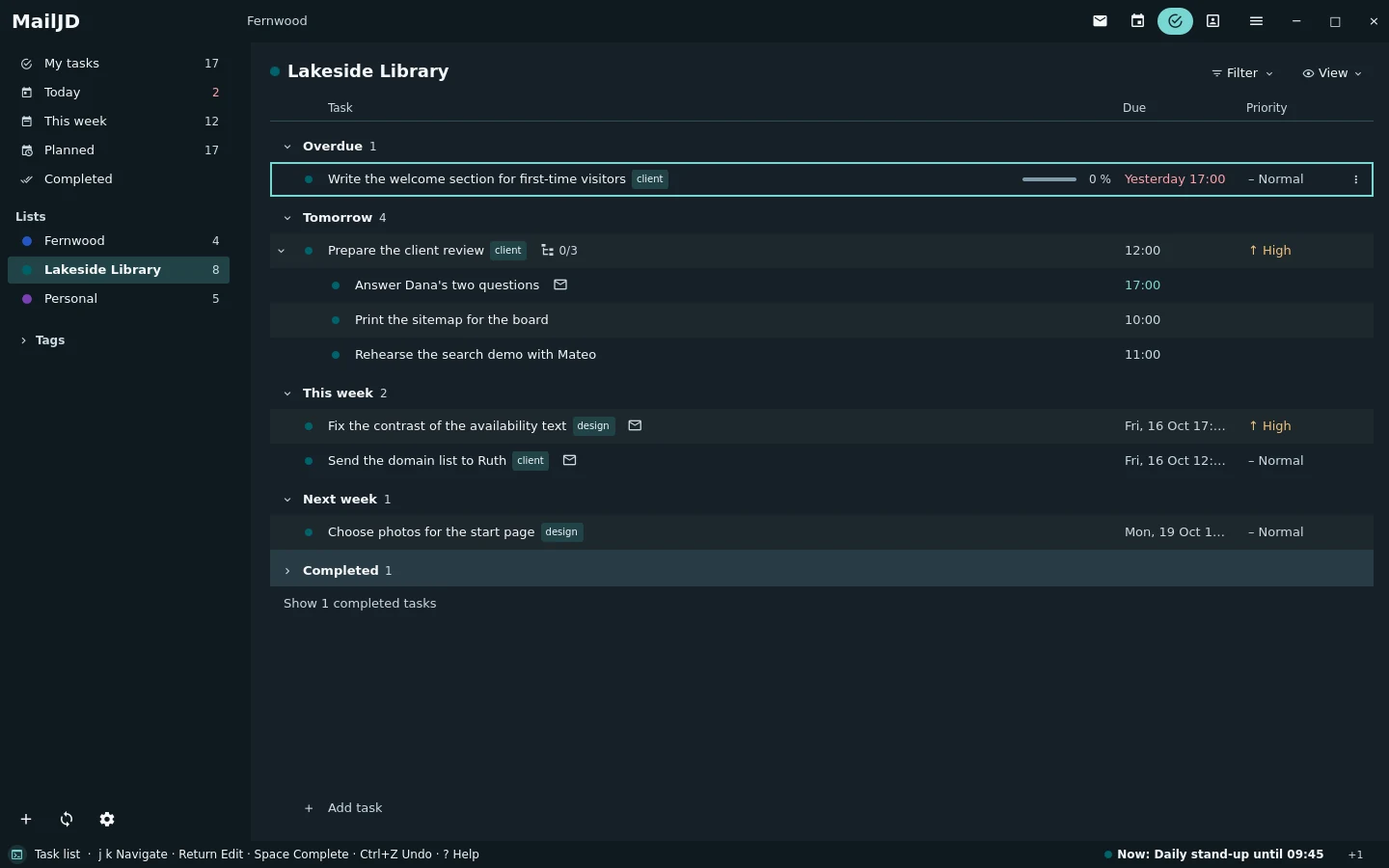
Task lists from the same CalDAV server, with subtasks, due and start dates, priorities, tags and recurrence. A task made from a mail keeps a link back to it.

t
task from the open mail
Space
done
Tab
make subtask
Task list with open tasks, due dates, tags and indented subtasks. Light theme. Task list with open tasks, due dates, tags and indented subtasks. Dark theme.
The Lakeside Library task list with due dates, tags, subtasks and a link back to Dana's mail. Full size: light · dark

Conflicts

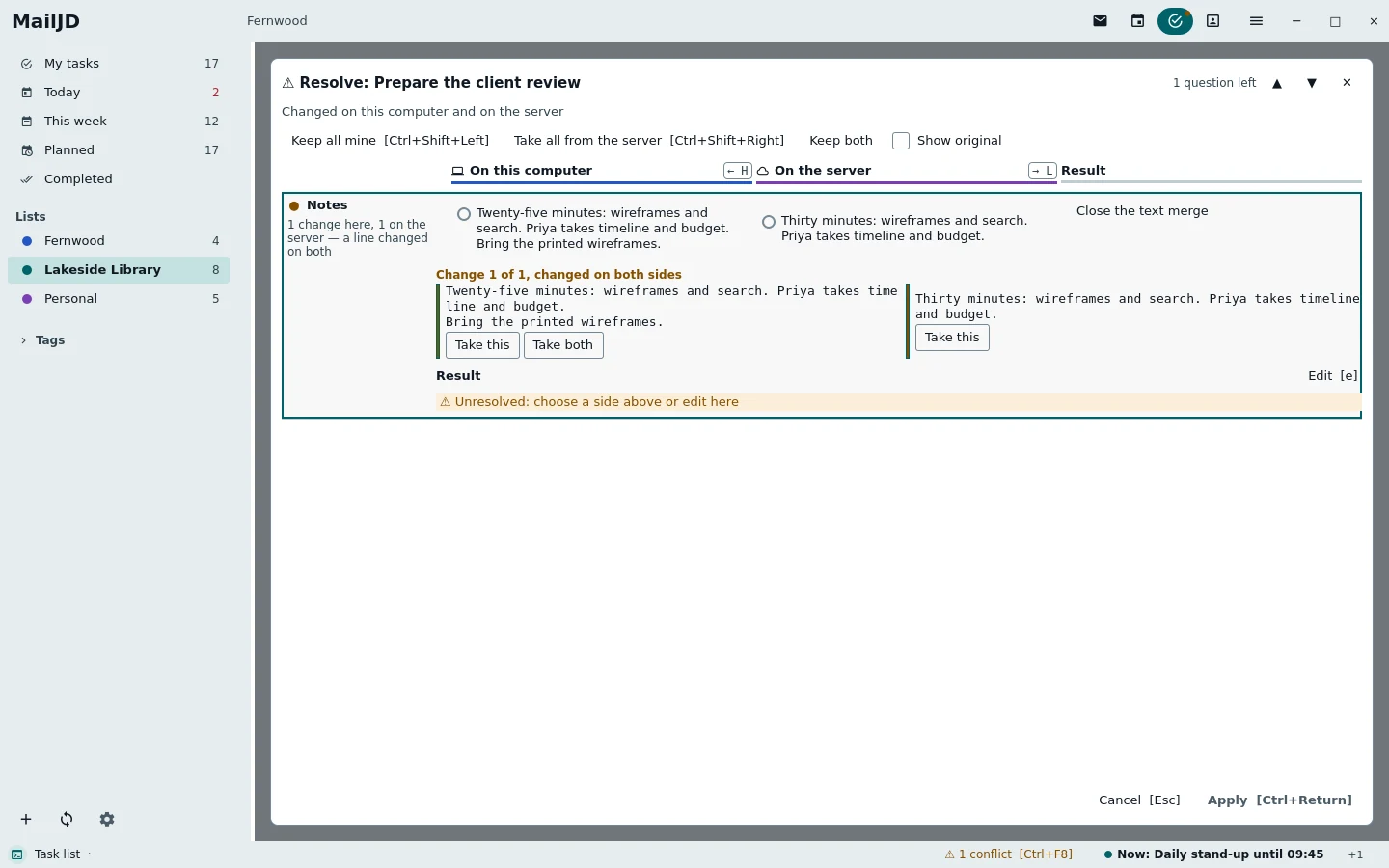
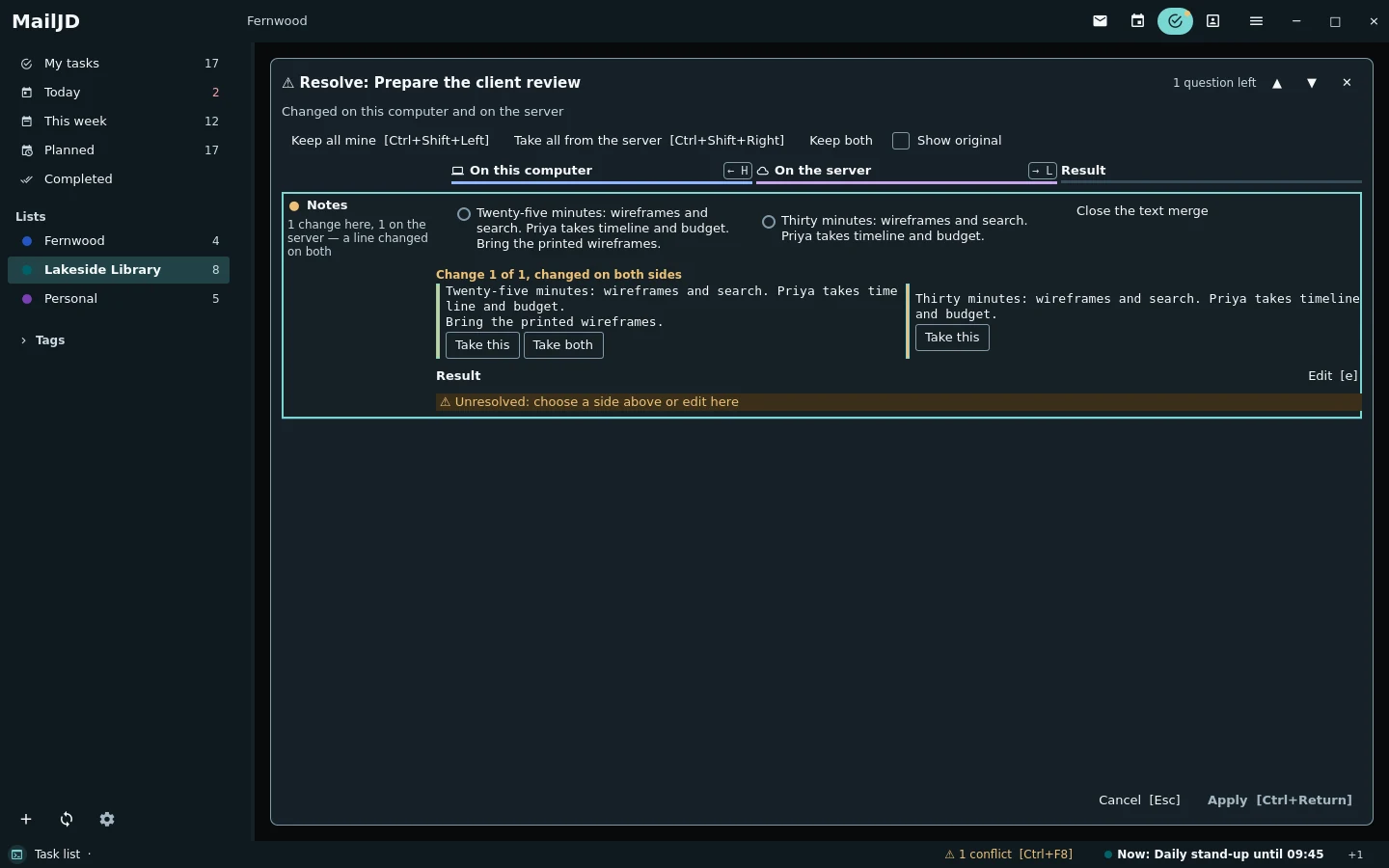
When an appointment, task, contact, rule or setting changed here and elsewhere, MailJD combines what does not overlap and shows the rest side by side: choose per field, per list entry and per line, and nothing is written before Apply.

h
this computer
l
the server
Ctrl+Enter
apply
Conflict resolver with both versions of the task's notes side by side, one line changed on both sides and the result below. Light theme. Conflict resolver with both versions of the task's notes side by side, one line changed on both sides and the result below. Dark theme.
The review task changed here and on the server: the time line combined itself, the notes are compared line by line. Full size: light · dark

Contacts

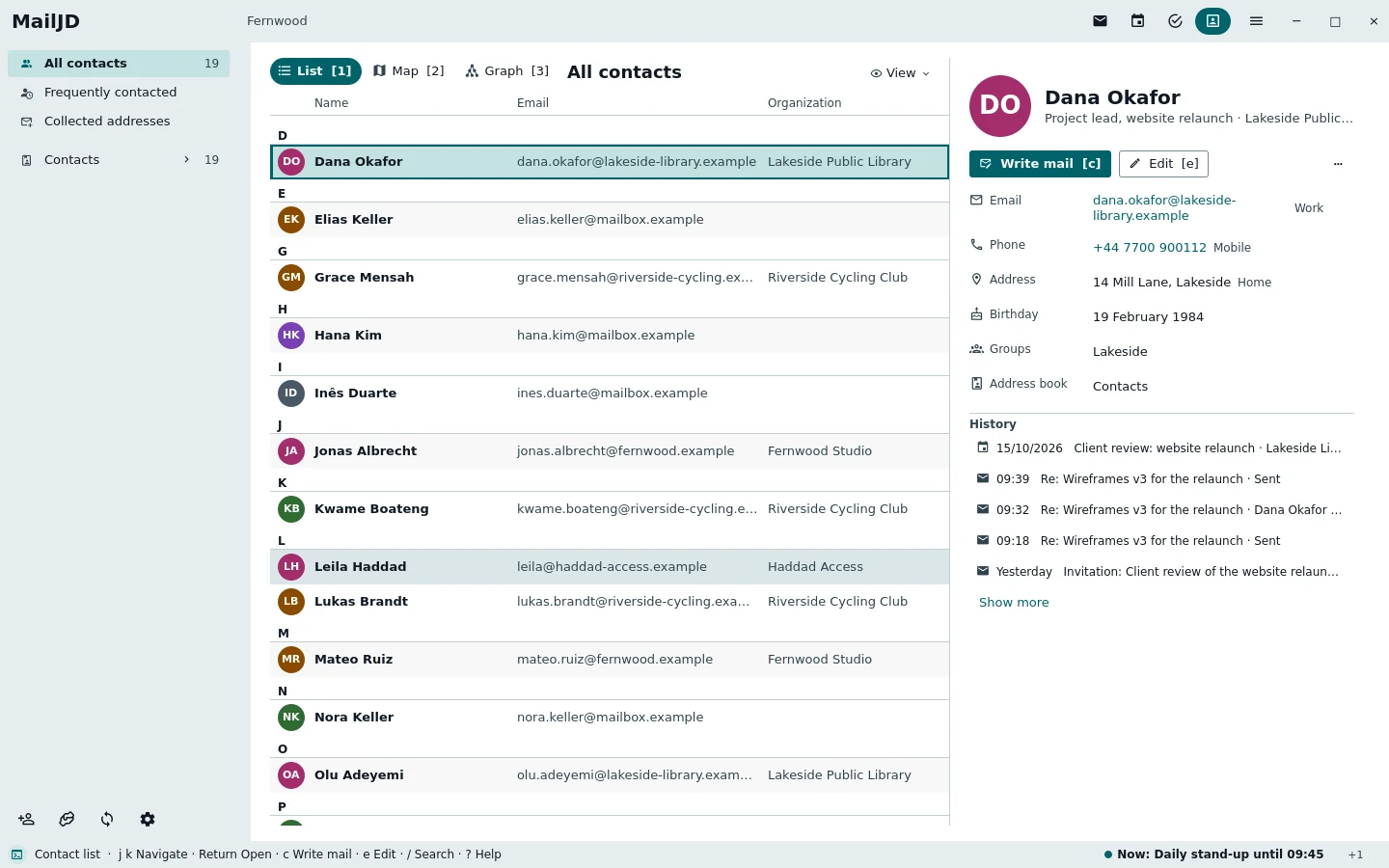
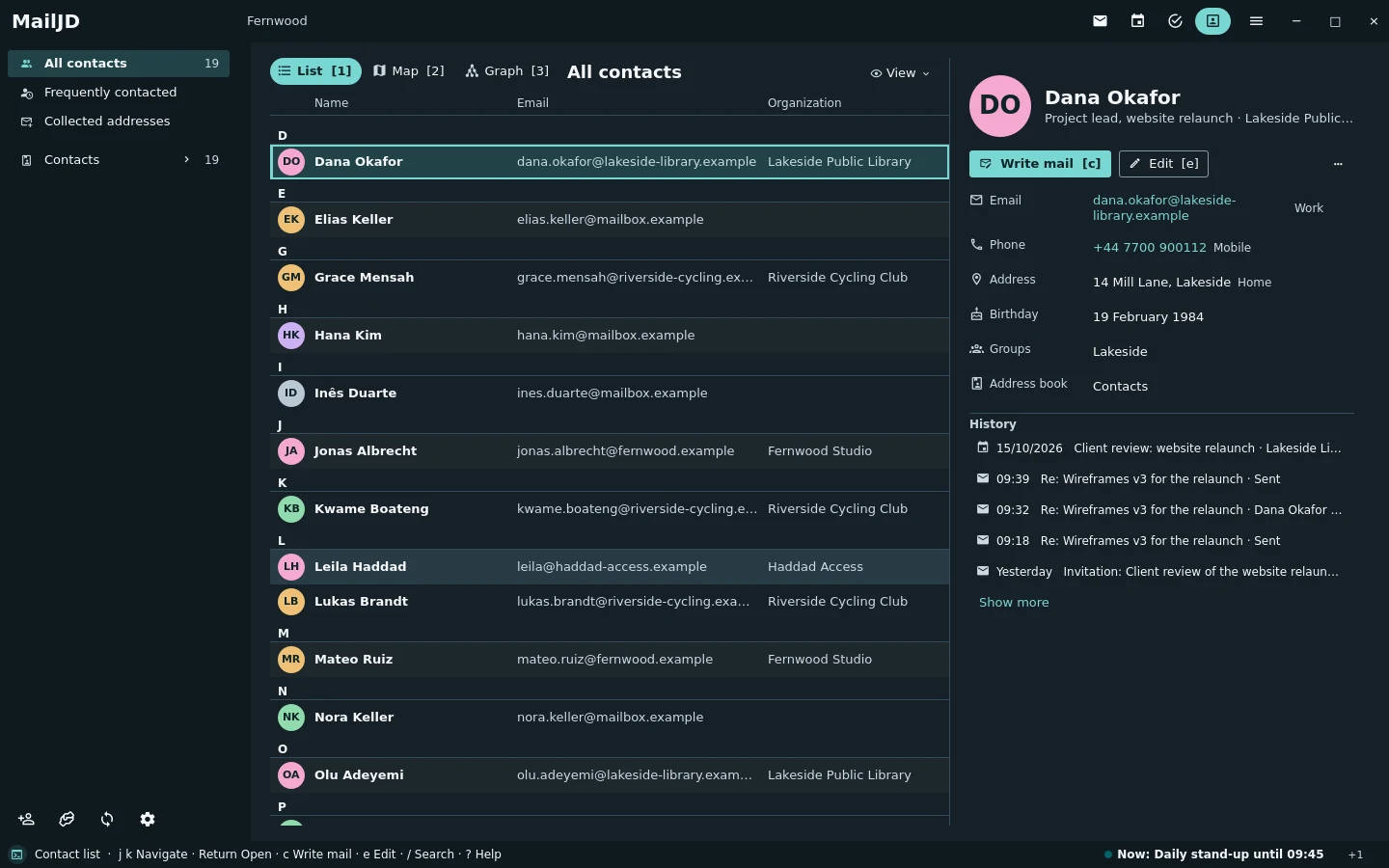
CardDAV address books with groups. Addresses complete while you write, and every card lists the recent mail with that person.

c
write mail
e
edit the card
Contact list on the left and the contact card of Dana Okafor on the right. Light theme. Contact list on the left and the contact card of Dana Okafor on the right. Dark theme.
Dana's card from the CardDAV address book, with her organisation, groups and recent mail. Full size: light · dark

Server rules

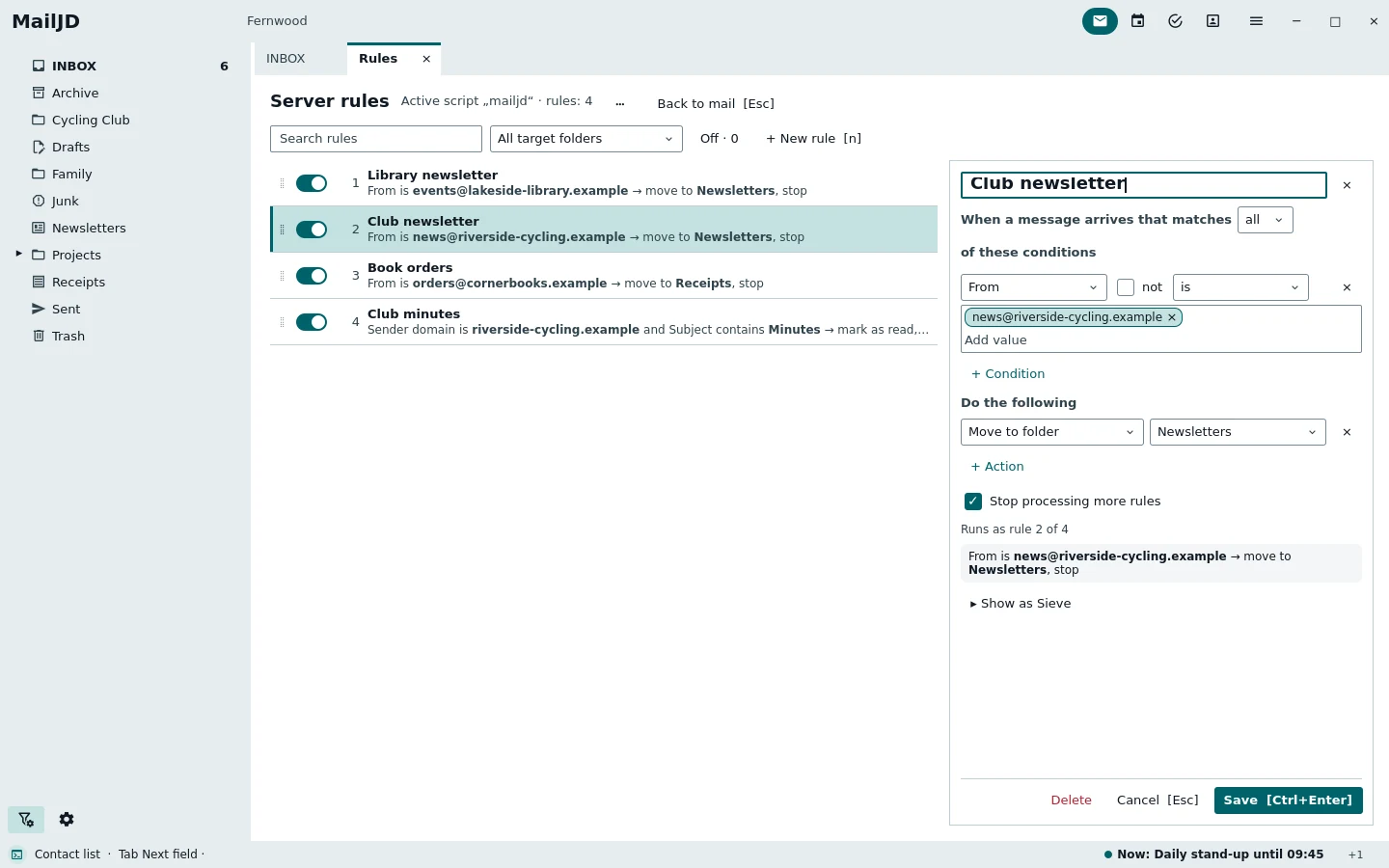
Sieve rules run on the mail server, so mail is sorted while MailJD is closed. Make a rule from the open mail, edit it without writing script, and keep the rules other programs wrote. Out-of-office replies are part of it.

Shift+F
rule from the open mail
Space
rule on or off
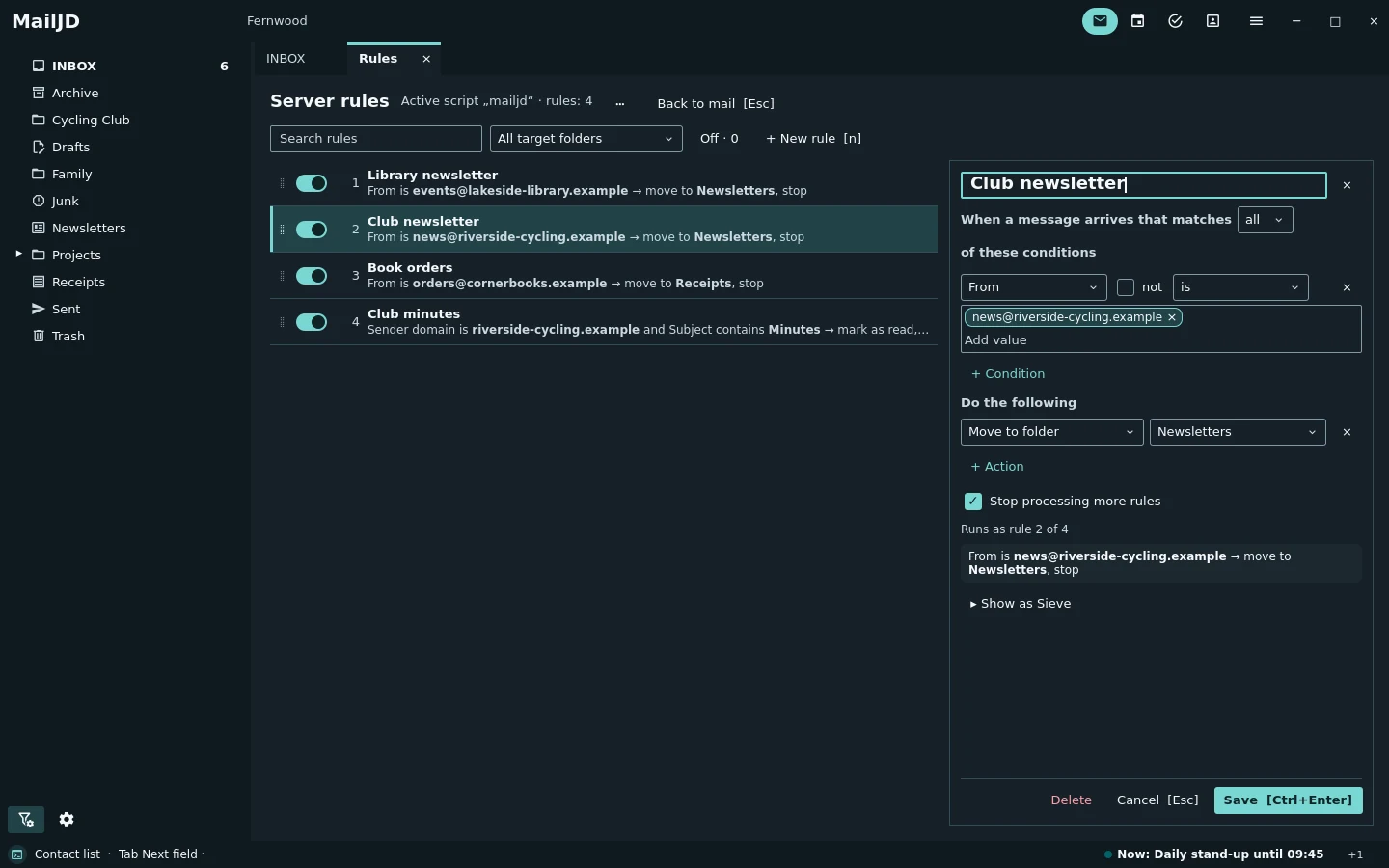
Rule manager with four rules and the visual editor of one rule open. Light theme. Rule manager with four rules and the visual editor of one rule open. Dark theme.
Sieve rules on the mail server, edited without writing a script: library newsletters go to their folder. Full size: light · dark

Writing

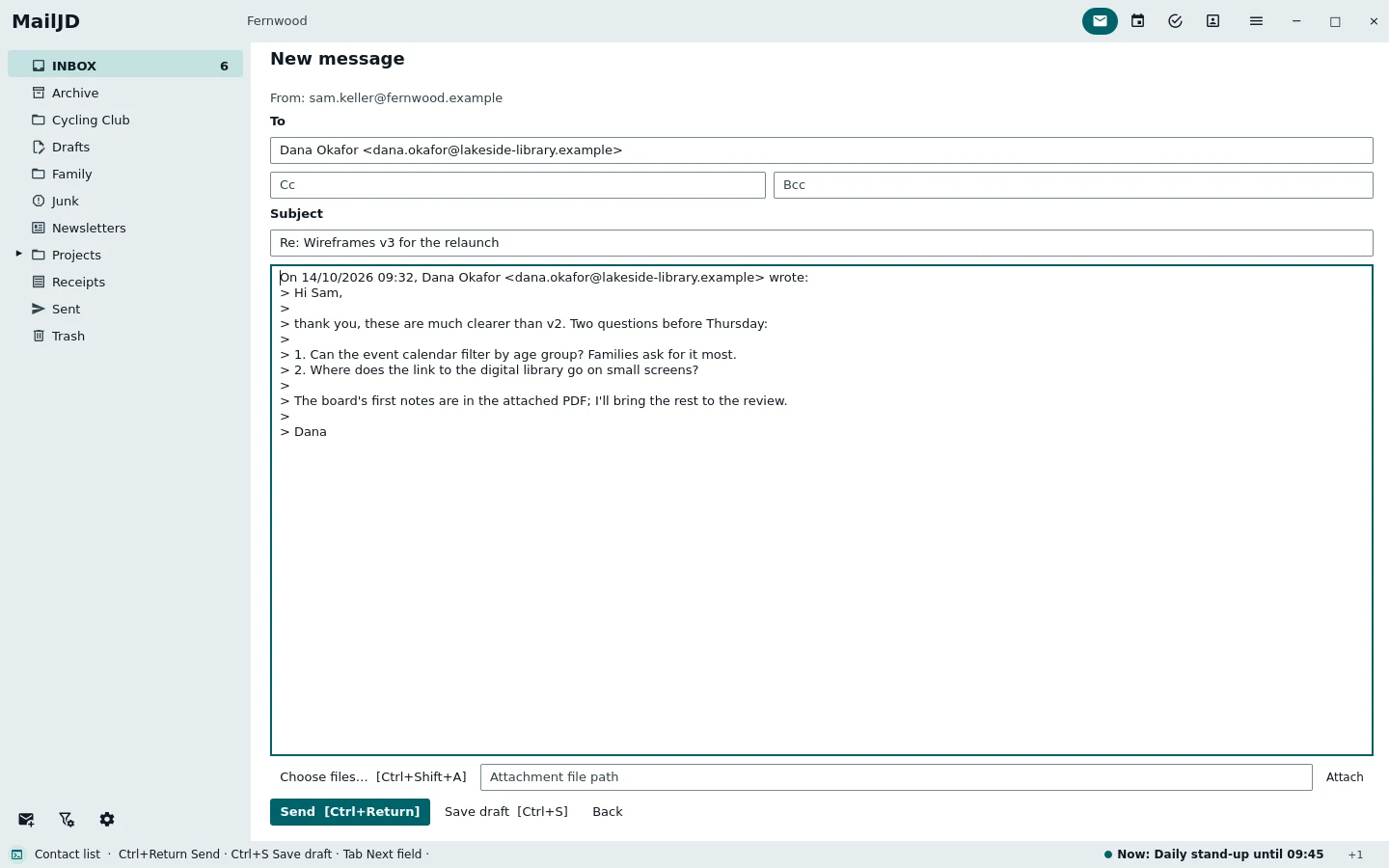
Replies start with the quote in place. Drafts are kept locally while you type and stored in the server's Drafts folder when you save.

Ctrl+R
reply
Ctrl+S
save the draft
Ctrl+Shift+D
own window
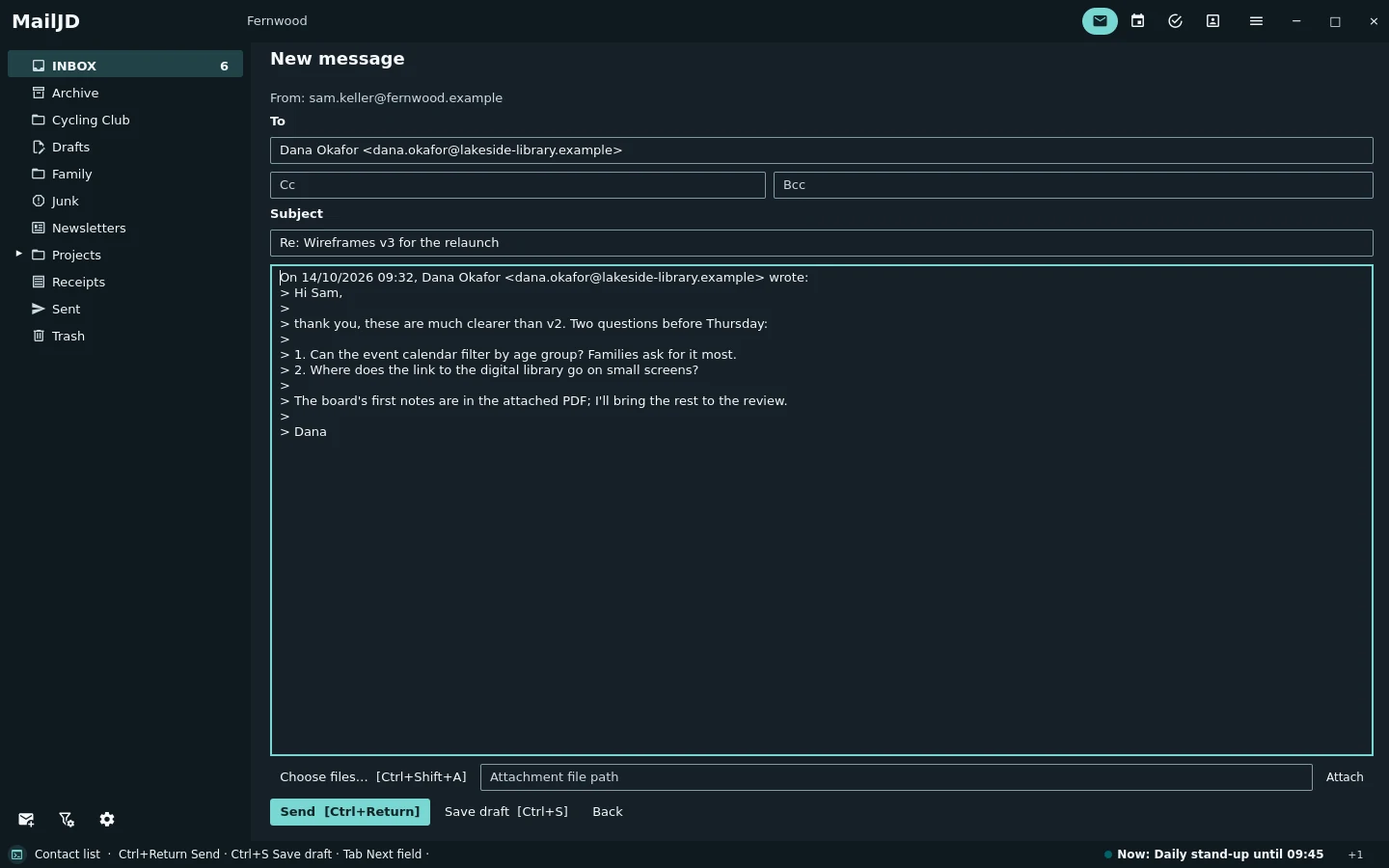
Compose view with recipient, subject and the quoted text of Dana's mail. Light theme. Compose view with recipient, subject and the quoted text of Dana's mail. Dark theme.
Ctrl+R replies with the quote ready; Ctrl+S keeps a draft on the server. Full size: light · dark

Languages

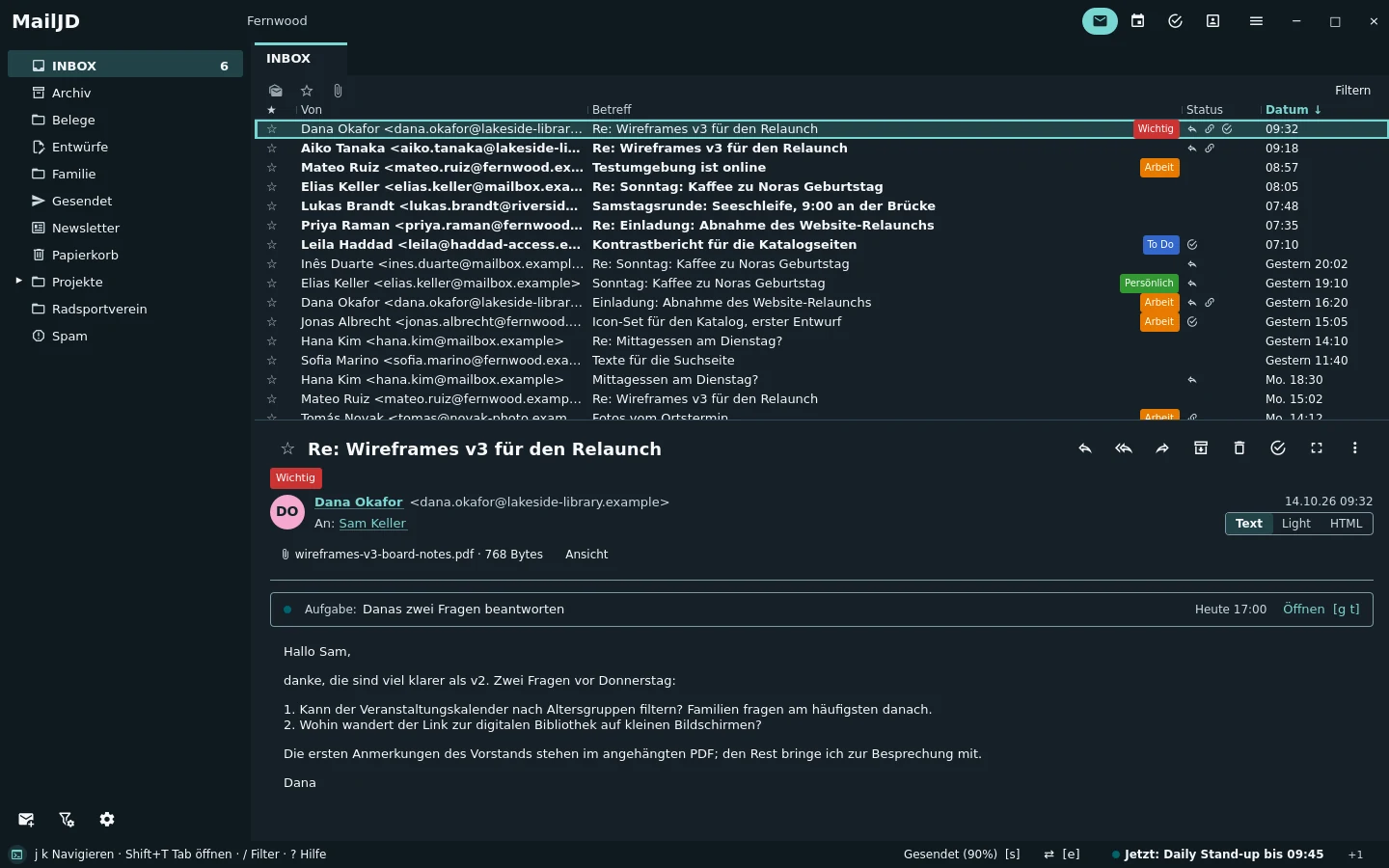
The interface is English and German and follows the system language unless you choose one in the settings. The same example week, in German.

MailJD main window in German with the German example mail. Light theme. MailJD main window in German with the German example mail. Dark theme.
The same inbox with the German interface and German mail. Full size: light · dark

What it speaks

MailIMAP with IDLE, NOTIFY, CONDSTORE, MOVE, UIDPLUS and ESEARCH; SMTP over TLS or STARTTLS
Calendar and tasksCalDAV with incremental sync (sync-collection), iCalendar, invitations by mail (iMIP)
ContactsCardDAV with incremental sync, vCard
Server rulesManageSieve and Sieve, including vacation replies
Push for calendars and contactsWebDAV-Push through UnifiedPush (KUnifiedPush) or an ntfy server, encrypted end to end (RFC 8291)
Passwordsthe system keyring: Secret Service (GNOME Keyring, KeePassXC) or KWallet

No account with us, no cloud service, no telemetry, no web version, no Windows or macOS build.

Download

MailJD 1.0.0-rc3
PackageWhat it isSize
AppImageone file, runs on its own207 MB
tar.gzthe same program as a directory223 MB
Gentoomail-client/qmailjd in the jd overlay
SourceGPL-3.0-only, build with CMake and Qt 6

Requirements

Processorx86_64
Systemglibc 2.35 or newer; tested on Ubuntu 22.04, Debian 12 and 13, Fedora 44
DisplayX11 or Wayland
Desktopa Secret Service keyring or KWallet; notifications and a tray icon when available

Check a download

Every file is signed. With cosign and the key from the release page:

cosign verify-blob --key MailJD-release-cosign.pub \
  --bundle MailJD-1.0.0-rc3-x86_64.AppImage.bundle MailJD-1.0.0-rc3-x86_64.AppImage

Gentoo

eselect repository add jd git https://git.jdsoft.de/linux/jd.git
emaint sync -r jd
emerge mail-client/qmailjd

Installing, updating and removing · Changelog · All releases

Documentation

Installing
AppImage, tar.gz, Gentoo, checking a download
Getting started
first start, accounts, the first keys
Keyboard reference
every key, by area
User guide
mail, calendar, tasks, contacts, rules, search, privacy, troubleshooting
Changelog
what changed in each version

Quality

ItemWhat it measuresValue ForWhenDetails
Pipelinebuild, tests, sanitizers, coverage and packaging of every commitpipeline status of mainmain, nowpipelines
Testsautomated test cases: unit, integration and UI tests against real Qt Quick windows8,844 test cases in 442 CTest targets, all passedmain @ 399ffe3d21 October 2026test report
Coverageshare of source lines and branches the tests executelines 91.5 %, branches 75.0 % (minimum 85 % and 72 %)main @ 399ffe3d21 October 2026coverage report
Screenshotstaken by the pipeline from the example data, light and dark12 viewsrelease 1.0.0-rc3
Signed releasesevery download signed with cosign, with SPDX SBOM and SLSA provenancesignature, SBOM, provenancerelease 1.0.0-rc315 October 2026how to check

How the project tests: docs/TESTING.md.

Keys on this page

j k
next and previous section
d
download
← →
on a screenshot: compare light and dark
?
this list